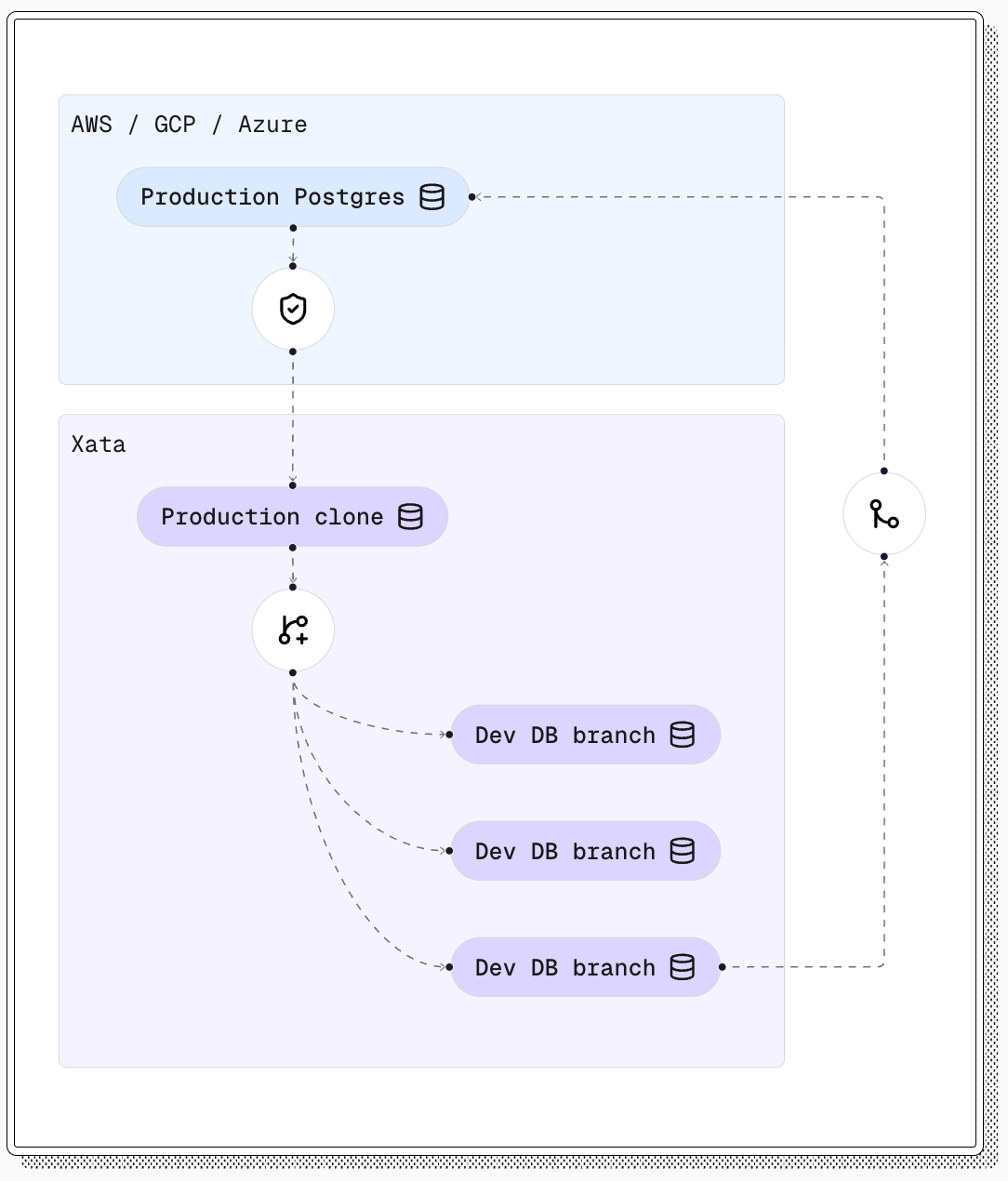
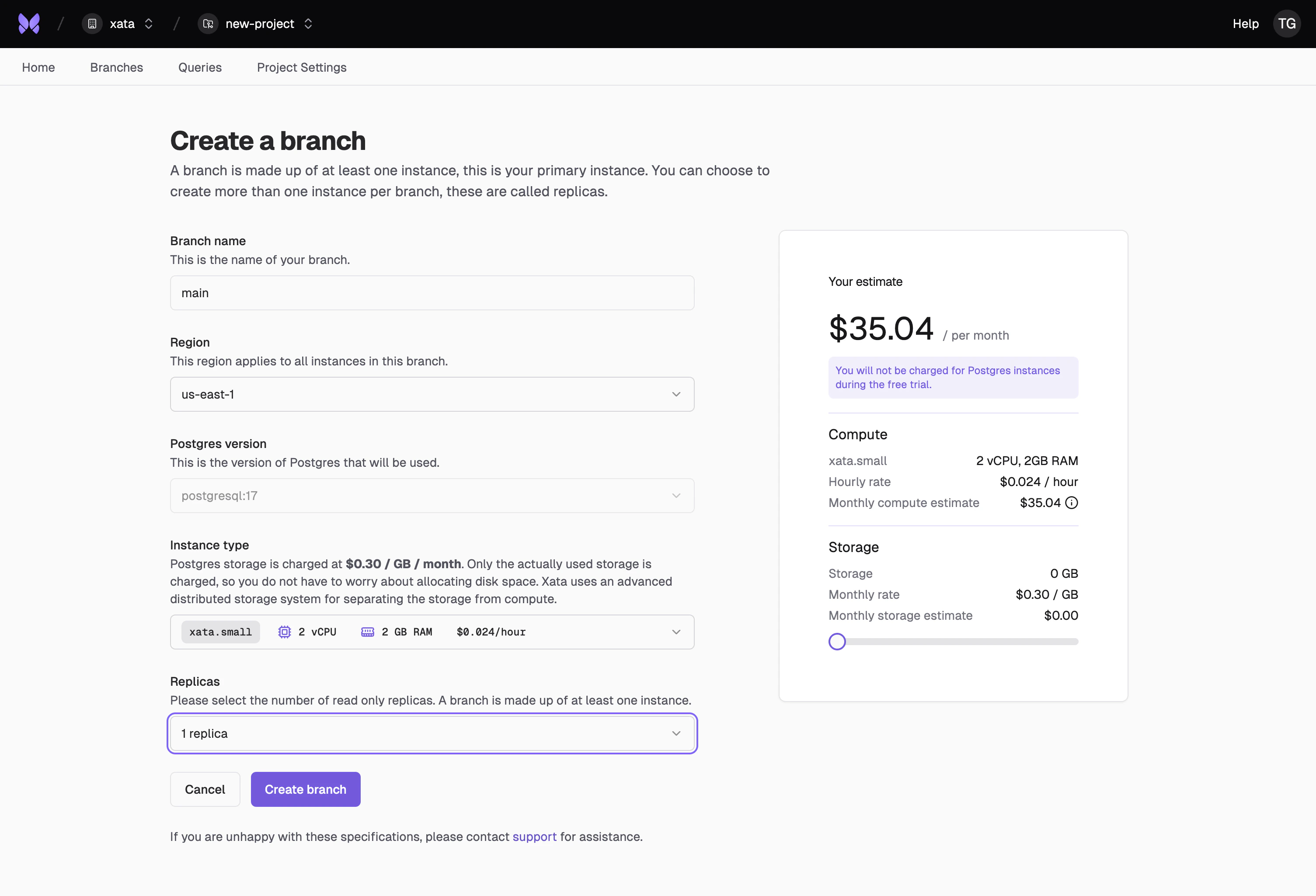
In the Console, create a new project and then click the Create main branch button to create the PostgreSQL instance that will hold the production clone.Since this is a non-production setup, you can typically select 0 replicas. It is a good idea to start with a similar
instance size as you use for production, but you can also use a smaller instance size if the production clone traffic will be much smaller. You can adjust the size later.
If you’re using Xata for production, we recommend creating a separate organization for your production clone. This allows you to control access to production data more effectively by only granting production access to team members who need it. Within an organization, roles control who can manage members, billing and API keys, but every member can access all of its projects and branches.
You would typically run xata init command in your application source directory, or in any directory/repository where you’d like to keep the configuration. It will create a .xata folder with several configuration files.Follow the instructions from the prompt to select the project and branch that you created at the previous step. Leave the database name set to xata.
Follow the prompts to specify whether you want anonymization enabled, which tables and columns to anonymize, and which transformers to use. For more details about transformers, see the anonymization page.
To simplify the process, the interactive prompt suggests which columns require anonymization. This is based on simple heuristics (name, email, etc.)
The result is a YAML configuration file written in .xata/clone.yaml. You can edit this file to further configure your anonymization process.
You now have a realistic, anonymized production clone in Xata.
You can safely test schema migrations, new indexes, or any other database changes using instant Copy-on-Write branches.
For more details on how to set up an advanced schema changes workflow, see the schema changes section.To automate this process and keep your production clone up-to-date, see the scheduled clone documentation.
Was this page helpful?
Assistant
Responses are generated using AI and may contain mistakes.