Organizations now have Admin and Editor roles, so you can decide who manages members, billing, API keys and single sign-on.
Organization roles
Every organization member is now an Admin or an Editor. Admins manage members, billing, API keys and single sign-on; Editors work with projects and branches.Existing members are Admins, so nobody lost access. New invitations default to Editor. Admins change roles from the Members page, withxata organization members set-role, or through the API. See Organization roles.A hosted MCP server at api.xata.tech/mcp gives coding agents the Xata API, SQL against a branch, and the docs, behind 11 tools.
MCP server
A hosted MCP server that lets AI assistants and coding agents work with your Xata organizations, projects, and branches.There is nothing to install. Point an MCP client athttps://api.xata.tech/mcp over Streamable HTTP and sign in with OAuth, or send a Xata API key in an Authorization header for CI and headless agents.The server exposes 11 tools:- REST API:
search_operationsfinds an operation by intent,describe_operationreturns its schemas, andcall_read_operation,call_write_operation, andcall_destructive_operationinvoke it. 63 API operations sit behind those five tools, so an agent pulls in a schema only when it needs one, and you can allow reads in your client without allowing deletes. - SQL:
run_sqlruns a statement against a branch, anddescribe_schemalists its tables and columns.run_sqlis read-only by default and runs inside a read-only batch the gateway enforces. Statements that modify data or schema require bothwrite=trueandconfirm=true.call_destructive_operationrequiresconfirm=trueas well. - Skills and docs:
list_skillsandget_skillread Xata’s guided workflows for common multi-step tasks, andsearch_xataandquery_docs_filesystem_xatasearch and read the documentation.
run_sql takes organization, project, and branch ids and resolves the branch gateway and its password itself, and connection strings and passwords are stripped out of responses before the model sees them.Xata is listed in the MCP registry as io.github.xataio/mcp. Setup steps for Cursor, Claude Code, VS Code, Claude, ChatGPT, Codex CLI, Antigravity, OpenCode, Amp, Windsurf, Zed, and Cline are in the MCP server documentation.Query Insights is live in the console for every branch, and xata branch metrics and query-insights join xata branch logs in the CLI.
Branch observability
Postgres logs, instance metrics, andpg_stat_statements statistics for any branch, in the console and from the CLI.Query Insights is now in the console for every branch. It groups statements by their normalized form, highlights any statement whose slowest execution passed one second, and opens an inline detail panel with the full SQL, call count, and cache hit ratio. Filter by statement type, database, and role.Two commands join xata branch logs in the CLI:xata branch metricsreports CPU, memory, disk, connections, IOPS, throughput, latency, and replication lag across the primary and its replicas. Add-wfor a live view, which renders a dashboard in a terminal and NDJSON in a pipe.xata branch query-insights(aliasqi) readspg_stat_statementsfor historical query statistics.qi activereadspg_stat_activityfor the queries running right now, with their state and wait events. There is no console page foractive.
xata branch logs, xata branch metrics, and xata branch qi list all take -o json or -o ndjson. The remaining qi subcommands take a plain --json. Everything here is scoped to a single branch.One upgrade note: as of CLI 1.5.0, xata branch query-insights needs the credentials:read scope on your API key, because it opens a direct Postgres connection to the branch. xata branch logs needs logs:read. Add the scope if your key predates 1.5.0.See the CLI branch reference, Query Insights, Logs, and Metrics, or follow the Find slow queries tutorial.Link a GitHub repository to a Xata project and get a preview branch per pull request, created and cleaned up automatically, with no API key in CI.
GitHub App
The Xata GitHub App links a GitHub repository to a Xata project and manages preview branches for you. Once it is linked, opening a pull request creates a Xata branch from your root branch, and closing the pull request deletes it. No Xata API key in GitHub Actions, and no cleanup workflow to maintain.- Branch per pull request: when a PR is opened or reopened, Xata creates a child branch from the root branch you choose (for example
main), named after the PR’s source branch, with the schema and data from the root branch at the moment the branch is created. - Automatic cleanup: when the PR closes, Xata deletes the preview branch, but only if it is still a child of the configured root branch, so an unrelated branch that happens to share the name is left alone.
- Status in the pull request: Xata posts and updates a comment on the PR when it creates, finds, or deletes the preview branch.
- Install from project settings: open Project Settings > GitHub Repository, install the app, then pick the repository and root branch. One repository links to one project.
Run Xata on Google Cloud in us-central1: a Postgres branch in 3 seconds, or a new database in a second, for every job on a second cloud.
GCP us-central1 region support
You can now run Xata on Google Cloud in us-central1 (Iowa), alongside AWS us-east-1, us-west-2, and eu-central-1. Google Cloud is Xata’s second cloud.If you already run Postgres on Google Cloud, you can now create a Postgres branch from your production data in 3 seconds, or provision a new database in a second, in-region on the same cloud as the compute that uses it. Branches use copy-on-write storage, so a thousand short-lived branches cost about as much as one.- Coding agents: give every coding agent its own isolated Postgres branch in 3 seconds to build, test, and validate against production-like data.
- Deployment previews and CI: create a fresh branch in 3 seconds for every pull request and test run, with no shared staging.
- AI application builders: provision a new Postgres database in a second for every generated app, each with its own dedicated database from day one.
You can now create Xata databases in AWS us-west-2, alongside us-east-1.
AWS us-west-2 region support
You can now create Xata databases in AWS us-west-2, alongside us-east-1.If your agents and CI jobs run on the West Coast, the Postgres branches they spin up can now run in the same region as the compute creating them. When every agent run and CI job gets its own database, and you spin up, run, and discard thousands of times an hour, keeping those branches in-region with your compute matters.And if Xata runs your production database, not just your branches, you can now host it in us-west-2 as well.Everything works the way it does in us-east-1 from day one: copy-on-write branching in under a second, snapshots, scale-to-zero, and subsecond wake-up, all on Xatastor. Pricing in us-west-2 is the same as us-east-1, so there is no regional premium.Pick your region when you create a database. Existing databases stay where they are.us-west-2 is the next step in running Xata where you already build: us-east-1 and us-west-2 on AWS today, GCP next, and BYOC across AWS, Azure, GCP, and Hetzner if you would rather keep data in your own cloud account.Branch logs are now generally available in the dashboard for every branch.
Branch logs GA
The Logs tab on every branch is now available to all users without an opt-in. Browse PostgreSQL server output across the primary and replicas, filter by level, instance, and process, and search messages with substring or regex matching.- New Logs page in the branch sidebar with a searchable, paginated viewer.
- Level, instance, and process filters plus free-text search on the log body.
- Custom and preset time ranges, with details panel per entry.
- The
branchLogsAPI remains available for programmatic access — see the Logs documentation.
Query editor refresh with draft saves, multi-statement results, and export options.
Query editor improvements
The queries page has been reworked for a faster, more flexible SQL workflow.- Resizable sidebar and editor/results panels, with responsive sidebar collapse on smaller screens.
- New draft flow: New Query opens an unsaved draft that you can persist with Save as… (manual mode) or automatically with Auto-save.
- Toolbar actions for save, rename, delete, and Ask AI, plus a save-status indicator and keyboard shortcuts (
⌘S,⌘K,⌘+Enter). - Ask AI is now an anchored popover in the editor instead of a modal.
- Results panel now supports multi-statement tabs,
EXPLAINplan rendering, row-count and status display, client-side row limits, compact density, striped rows, copy-as-JSON, CSV download, and full-screen expansion. - Run selected runs only the highlighted portion of the editor.
- Performance warnings are now less intrusive and dismissible, with dismissal remembered locally.
- Editor preferences (auto-save, performance warnings, striped rows, compact mode, row limit) persist across sessions.
Serverless connections now route through the connection pooler by default.
Serverless Pooler Routing
Serverless connections (HTTP and WebSocket) now route through the PgBouncer connection pooler by default when no endpoint suffix is specified in the hostname. This reduces the number of PostgreSQL connections opened by serverless and edge functions, improving stability under high concurrency.- Hostnames without a suffix (e.g.,
{branch-id}.<region>.xata.sh) are routed through PgBouncer - Explicit endpoint suffixes (
-rw,-ro,-r,-pooler) continue to take precedence - To bypass the pooler and connect directly to the primary, use the
-rwsuffix
Connection pooler endpoints now available from the console and CLI.
Connection Pooler Endpoint
You can now connect to your branch through a built-in connection pooler. Pooled endpoints multiplex many client connections onto fewer server connections, making them ideal for serverless and high-concurrency workloads.Select Pooler when building a connection string from the branch overview page, or use the CLI:xata branch url command adds a new --type flag that accepts primary, primary-or-replica, replica, or pooler. Learn more about endpoint types.Rotate database passwords for enhanced security.
Password Rotation
You can now rotate the database password for thexata PostgreSQL user directly from the Console or CLI. This security feature allows you to generate new credentials without disrupting existing connections.Key features:- Rotate passwords through the branch settings page in the Console
- Use the new
xata branch rotate-passwordCLI command - Existing database connections remain active during rotation
- PgBouncer automatically picks up the new password for connection pooling
PostgreSQL minor version upgrades now supported for branches.
PostgreSQL Minor Version Upgrades
You can now upgrade your branches to newer minor versions of PostgreSQL through the Console, CLI, and API. This allows you to apply bug fixes and performance improvements from newer PostgreSQL releases while maintaining the same major version.When upgrading:- Only minor version upgrades are supported (e.g., 17.5 → 17.7)
- The PostgreSQL offering type (postgres or analytics) must remain the same
- Downgrades and major version changes are not permitted
- Upgrades trigger a rolling update of your branch instances
Connection pooler endpoint support for efficient connection management.
Connection Pooler Endpoint
You can now connect to your Xata database through a connection pooler endpoint using PgBouncer. This is particularly useful for applications that create many short-lived connections, as the pooler maintains a pool of persistent connections to the database and reuses them across client requests.When enabled, you can connect to your branch using the-pooler suffix in your connection string (e.g., {branch-id}-pooler). This routes your connections through PgBouncer for efficient connection pooling.Learn more about connection endpoints.CLI improvements for binary downloads and authentication debugging.
CLI Download Progress
The Xata CLI now displays download progress when upgrading or downloading pgroll and pgstream binaries. You’ll see a progress bar with percentage completion, making it easier to track the status of binary downloads duringxata upgrade and xata stream/roll download commands.Enhanced Authentication Debugging
When using theXATA_API_KEY environment variable for authentication, the CLI now provides helpful debug logging. If a command fails and you’re using an API key from the environment, you’ll see a note indicating this, making it easier to troubleshoot authentication issues.Multiple PostgreSQL image sources and analytics image support.
Multiple PostgreSQL Image Sources
You can now choose from multiple PostgreSQL image sources when creating or configuring branches. In addition to the standardpostgres image, we now support:- Analytics: Optimized PostgreSQL images for analytical workloads with specialized extensions and configurations
PG18 support, choosing a default database, preloaded libraries, new metrics and simplified onboarding.
Support for Postgres 18!
Postgres 18 was officially released yesterday 🥳 We’ve been testing the alpha, beta and release candidates as they’ve come out to have PG18 support on day one. We won’t be defaulting to PG18 likely until 18.1, but it’s now available for everyone in our private beta.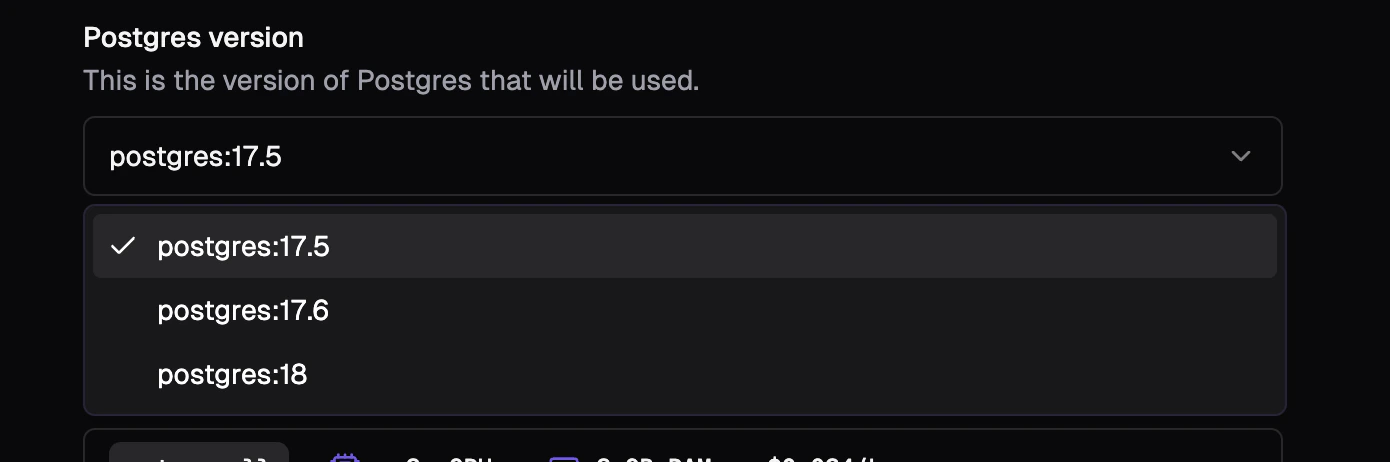
Project-level Default Database
There are many views within a project that use the database selected. If there’s more than one database, sometimes it’s not the one you expected. We’ve had a few requests to introduce the ability to define a default database to make things like copying connection strings easier. You can now set a project level default database that all views and child branches will default to within the console.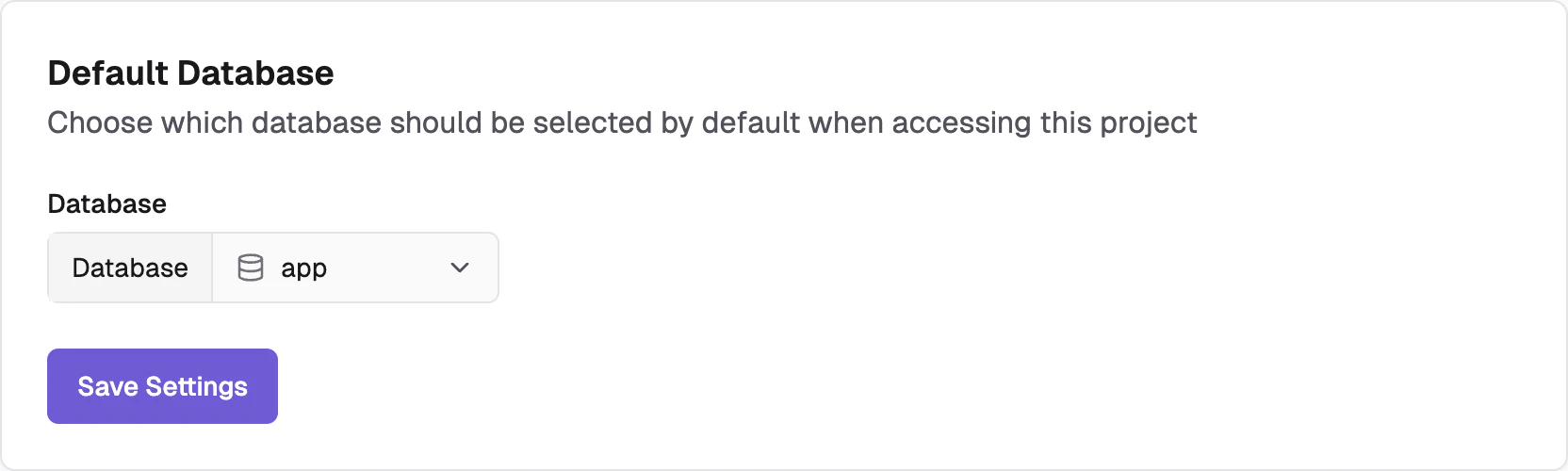
Preloaded libraries
You can now configure extensions and libraries be preloaded with your branches. These will be loaded into shared memory and available for all databases on the branch.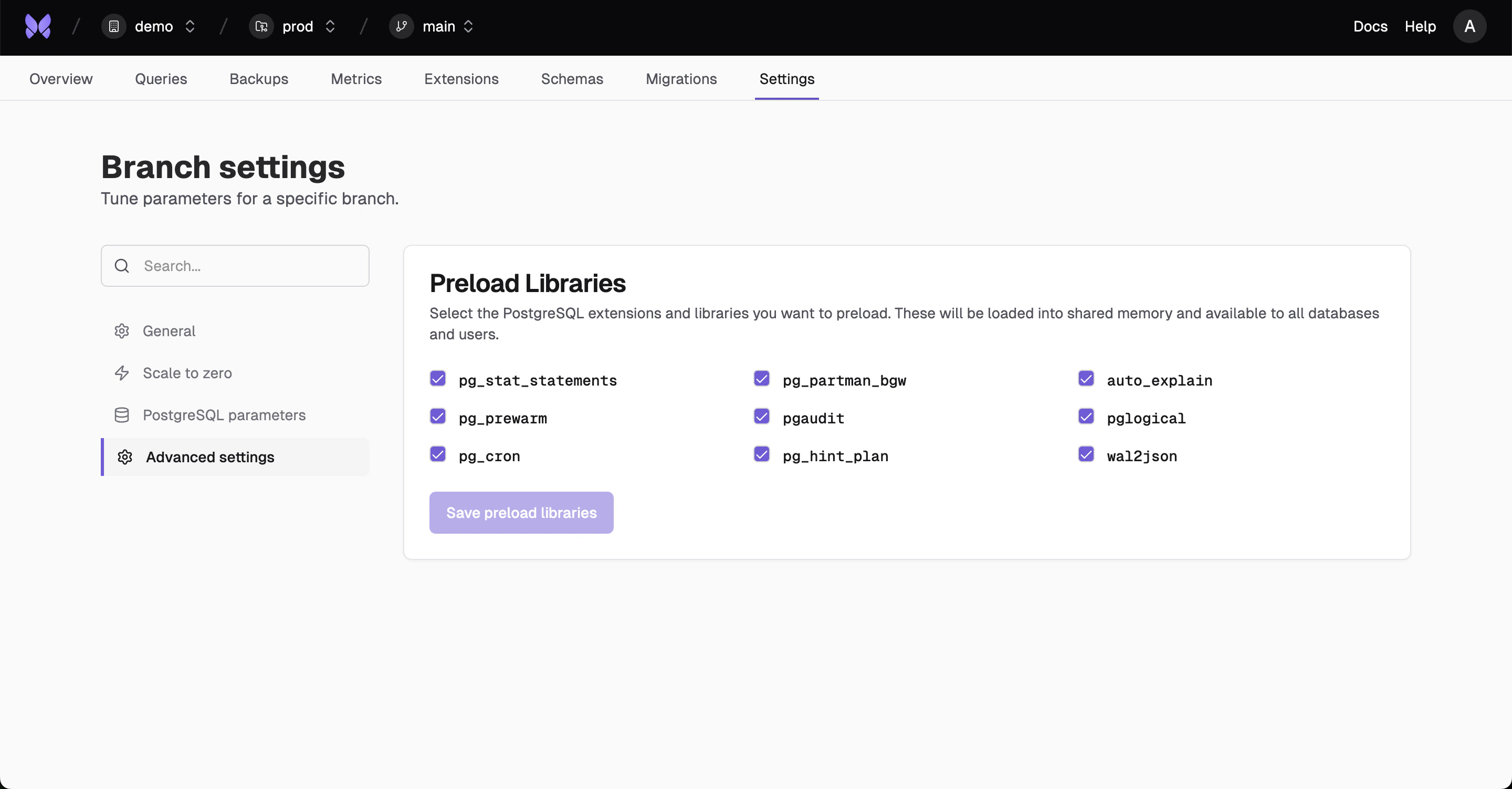
Streamlined Onboarding
Previously there were many steps to onboarding — create an organization, create a project and create your branch. This was unnecessary friction and we’ve simplified this initial experience into a single screen.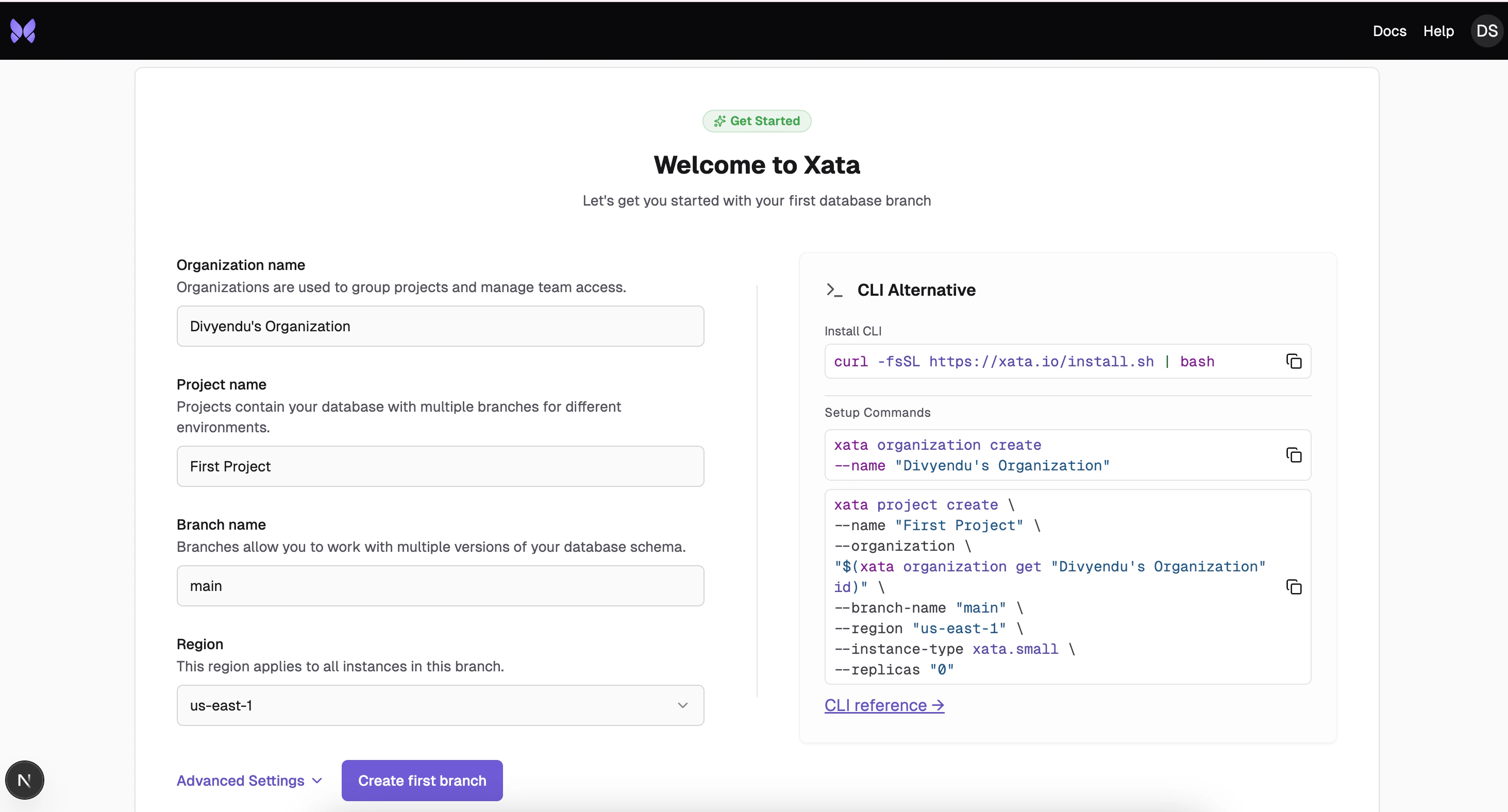
New Metrics
We’ve added two more metrics for WAL sync time and replication lag time. These new metrics require additional Postgres settings to be enabled. If they aren’t enabled, you will now be prompted to enable to view the metrics.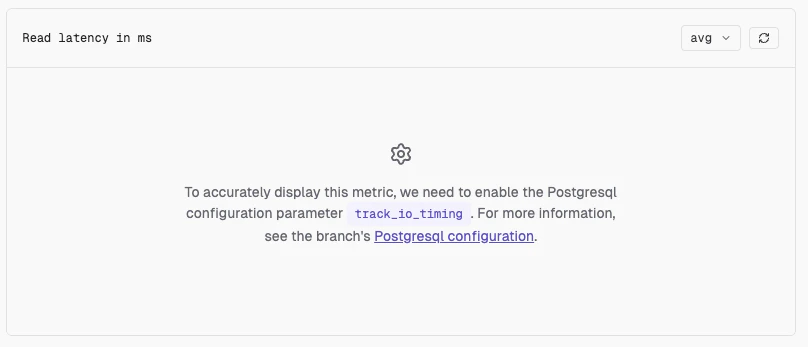
Branch Settings Menu
It’s the little things in life. We had too many branch settings and the page was getting bloated. As a result, we’ve added a new menu and search to help you get to the setting you need.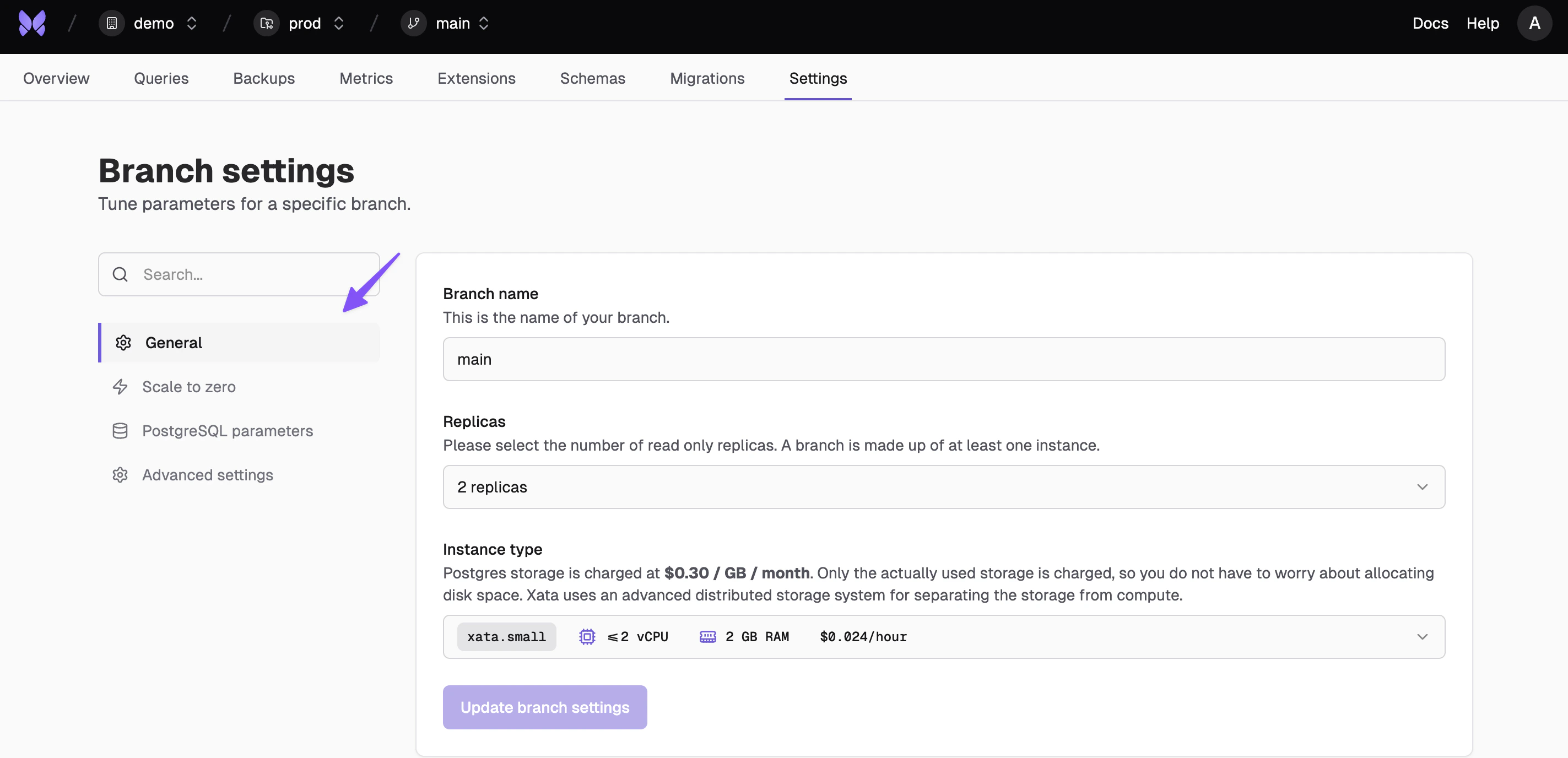
Scale to zero, a new region and much more.
Scale to Zero
You can now configure a branch to scale to zero after a duration of inactivity. Set project defaults or branch specific settings for the duration of inactivity. You can also manually hibernate a branch. Learn more about scale to zero here.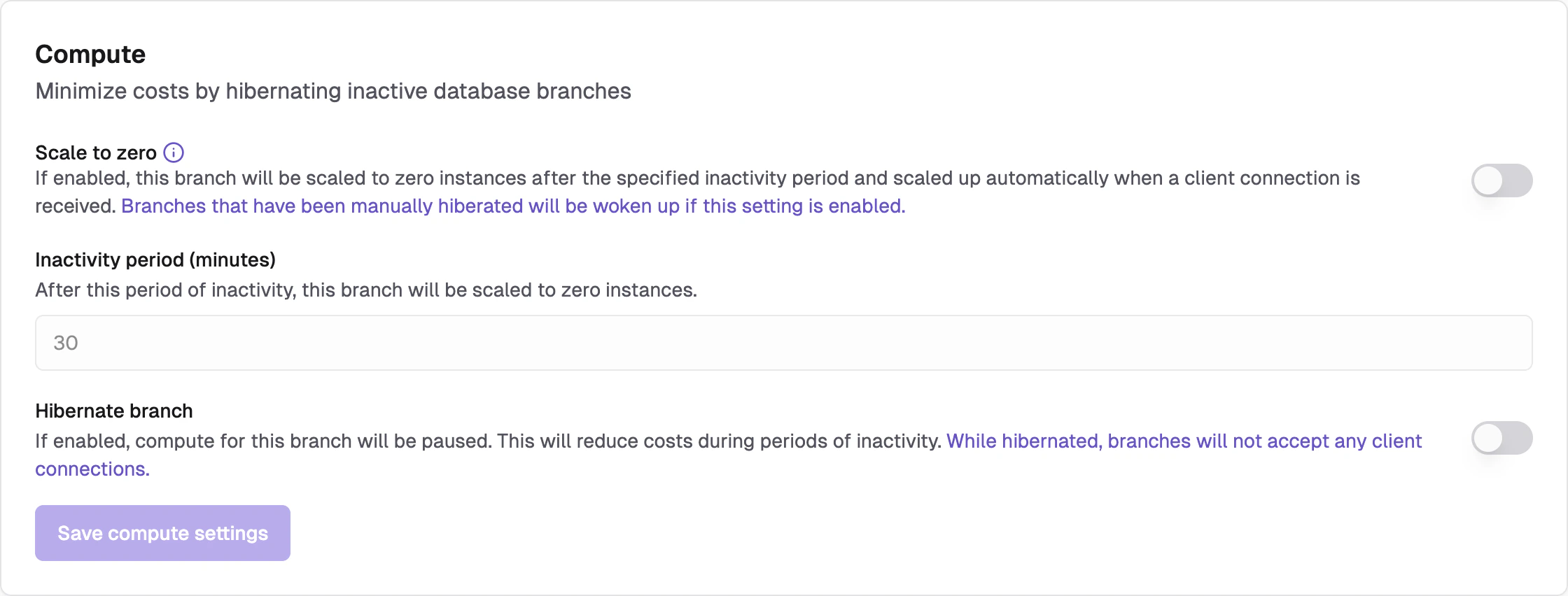
New Frankfurt Region
AWS Frankfurt is now available as a region 🎉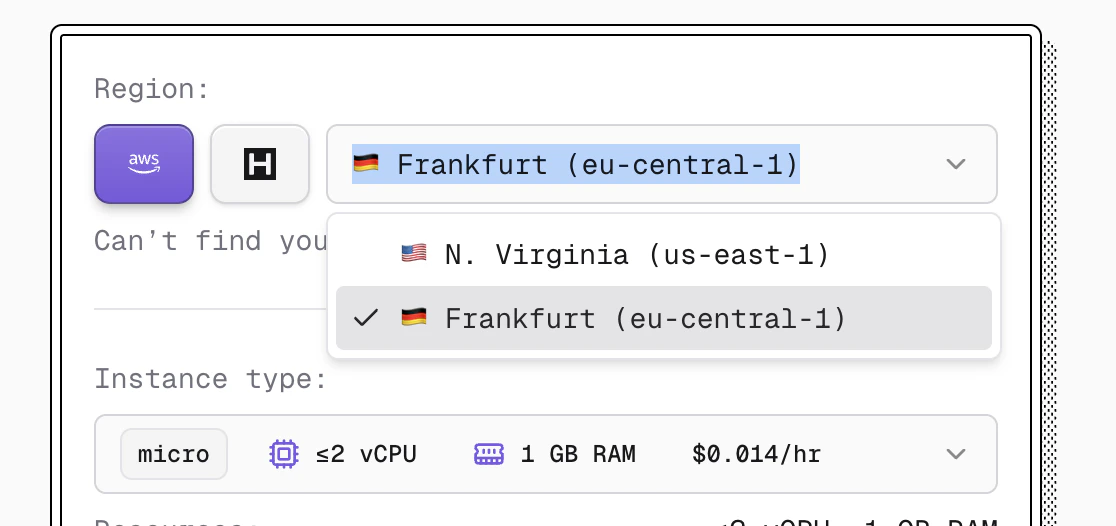
Endpoint Routing
When building your connection string, you can now choose to route traffic to your primary instance only, primary and read replicas or read replicas only.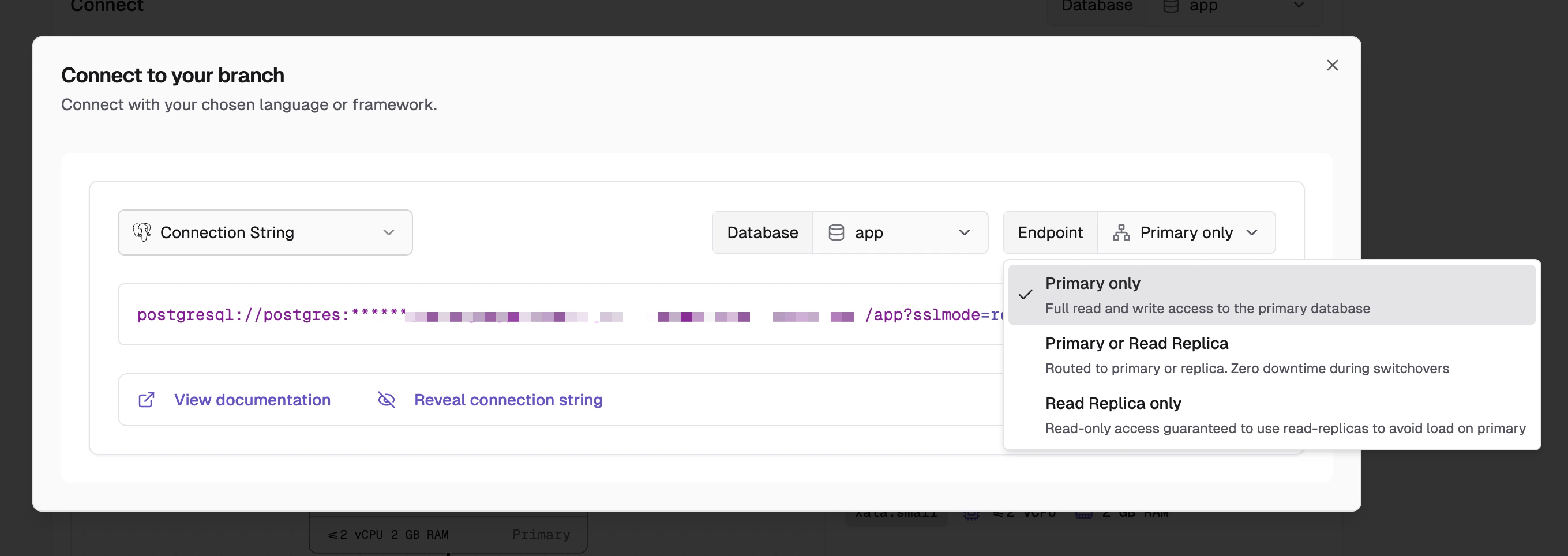
PostgreSQL Configuration
From your branch settings page, you can now configure PostgreSQL settings directly in the console. Some maximum values are set by the instance size in use.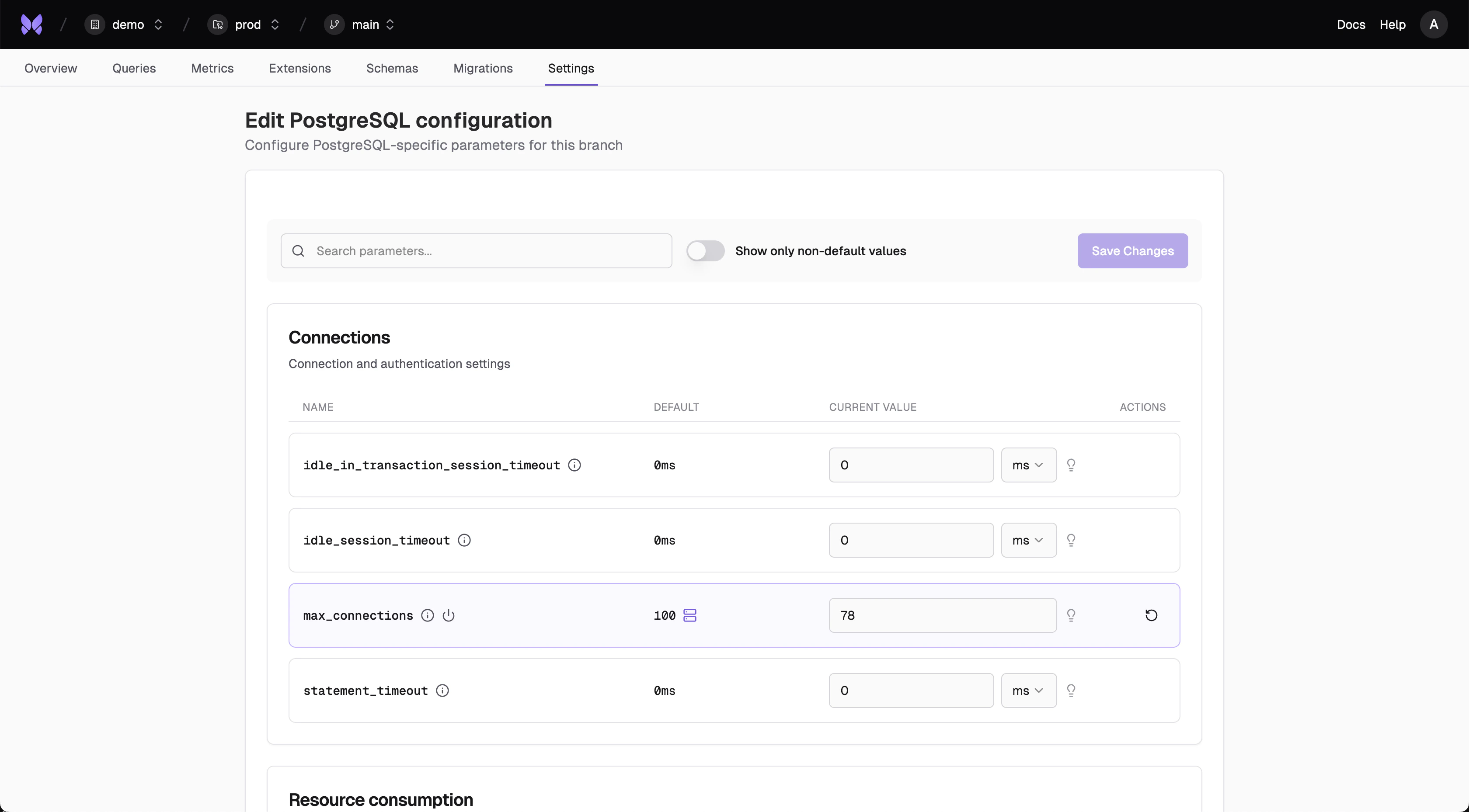
General SQL ✨
Generate SQL queries through natural language and explore your data simply by asking a question.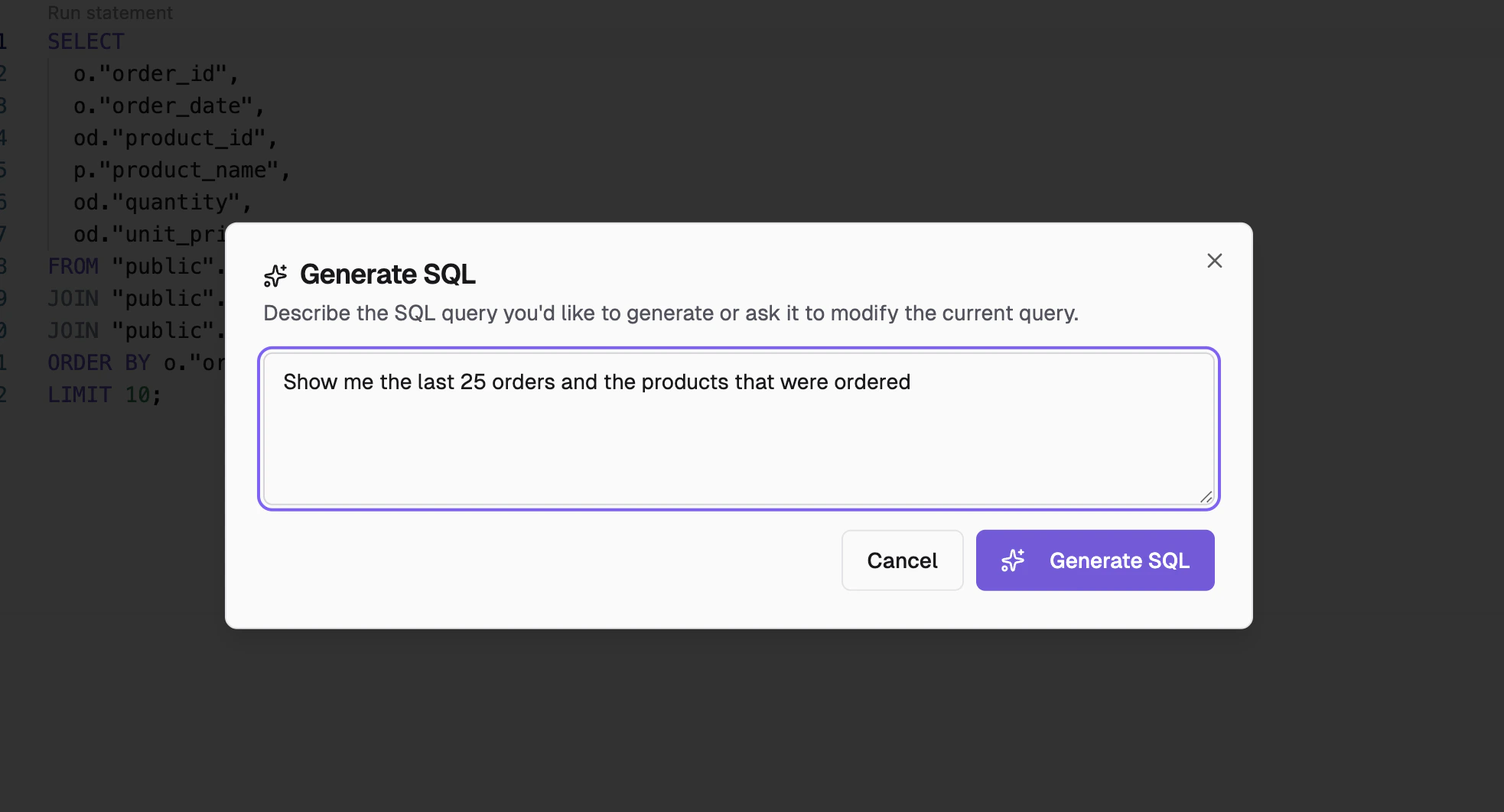
Extensions View
You can now view all supported and enabled extensions directly from console. You can see what extensions are currently available here.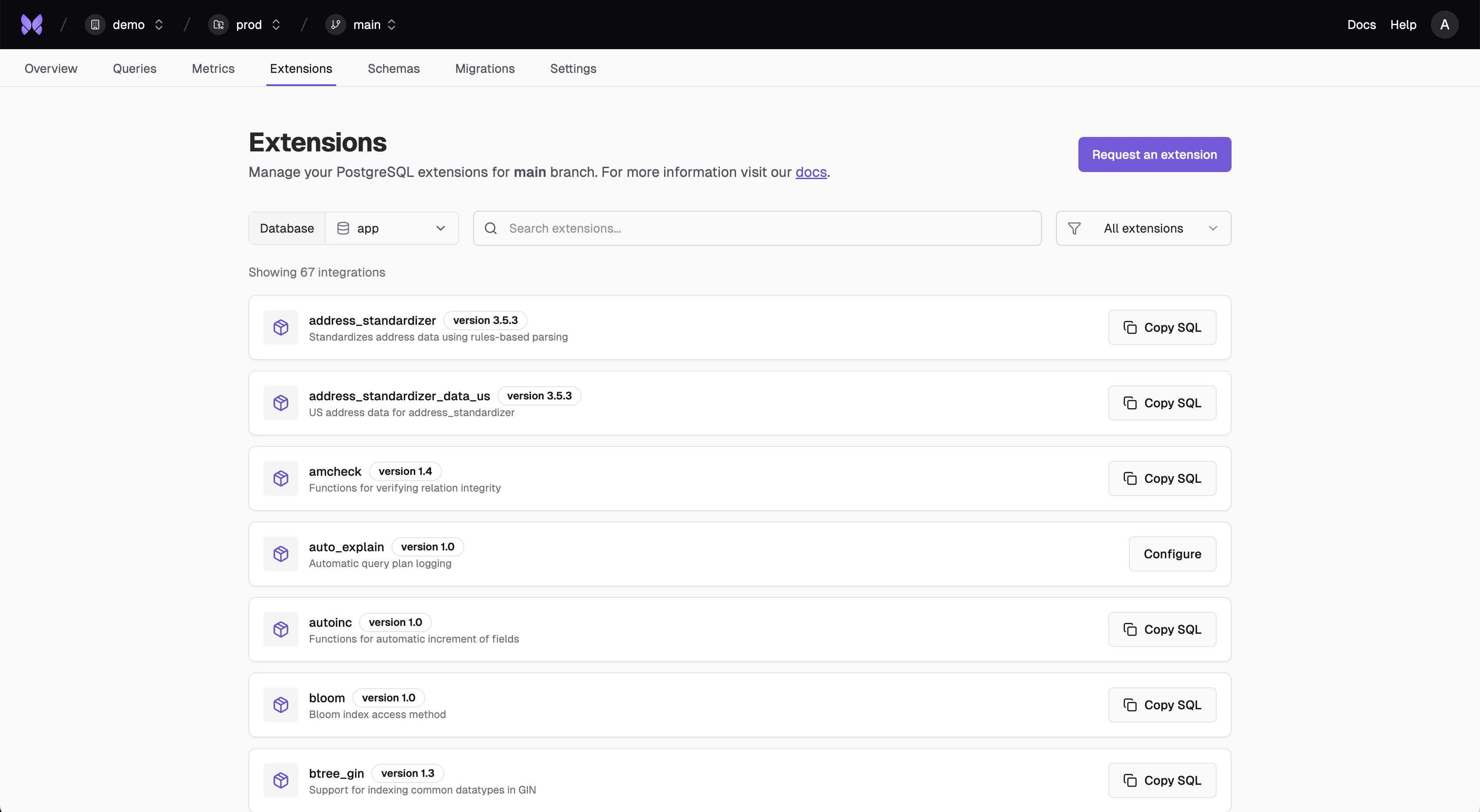
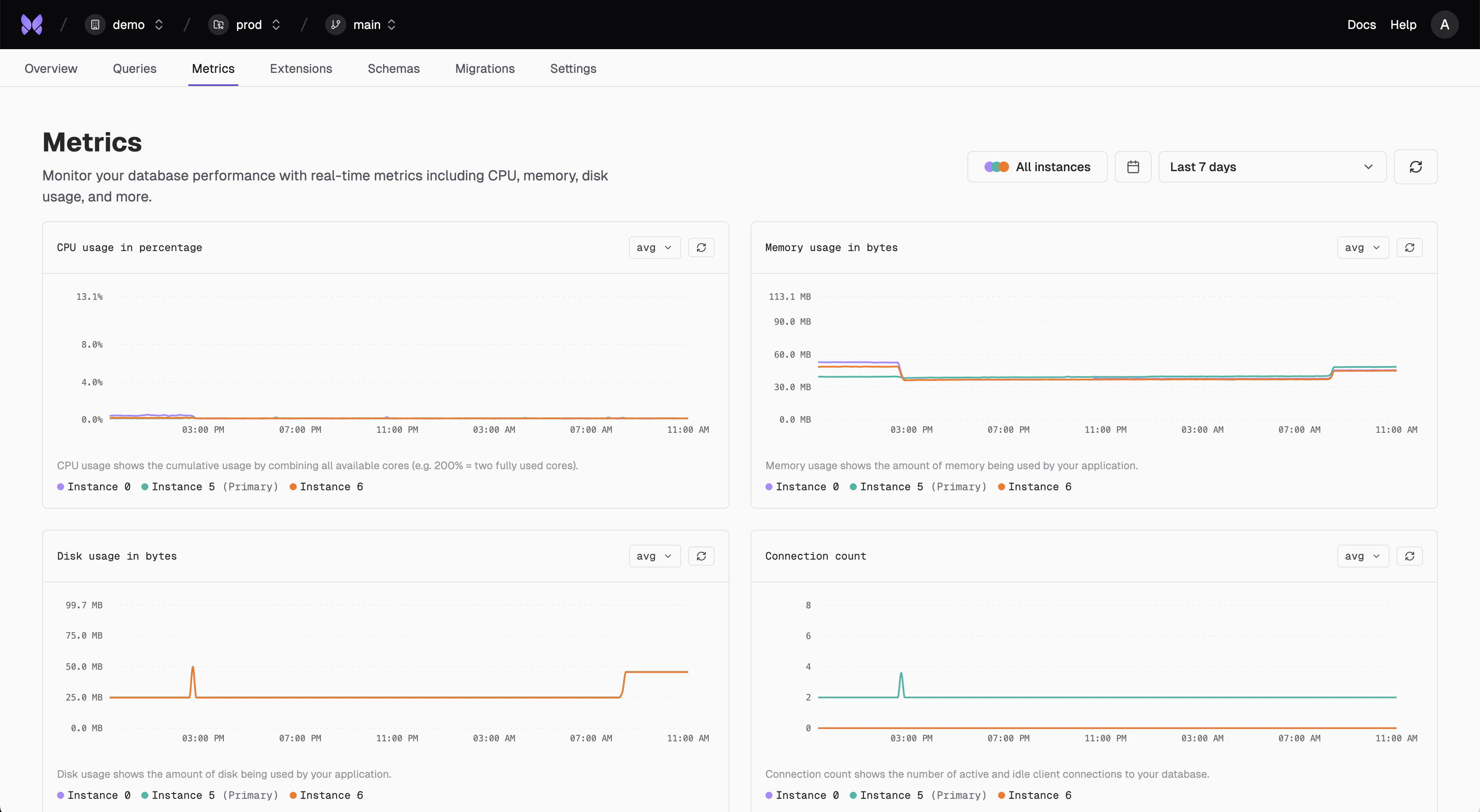
Revamped Metrics View
We keep adding metrics for improved visibility. Rather than scrolling forever, we’ve introduced a nice two column view to consolidate our charts. You can see what metrics are currently available here.