Introducing AI-assisted PII removal for safer staging
Create safer staging in seconds with AI: analyze schema, generate and validate strict anonymization configs, remove PII from prod-like data.
By:
Divyendu SinghPublished:
Updated:
Reading time:
2 min readStaging with production-like data is useful right up until it contains PII.
xata clone helps by creating a sanitized clone of your production database: it streams data out of prod, applies anonymization rules, and writes the result into a safe environment you can use for development and testing.
- Docs: Xata Clone
- Core Concepts: Data Anonymization
The challenge with static heuristics
Until now, xata clone config launched an interactive terminal UI where you mark which columns contain PII and what transformations to apply.
To reduce the manual work, we preselected likely candidates using static heuristics based on table and column names (for example, matching email or phone_number). That works fine for small projects, but it breaks down as schemas grow:
- Teams encode sensitive data in domain terms (
customer_ref,lead_notes,support_summary) - The same name means different things across tables
- The config needs ongoing maintenance as the schema evolves
The result is usually a valid starting point, but reviewing and keeping rules up to date becomes tedious and easy to get wrong.
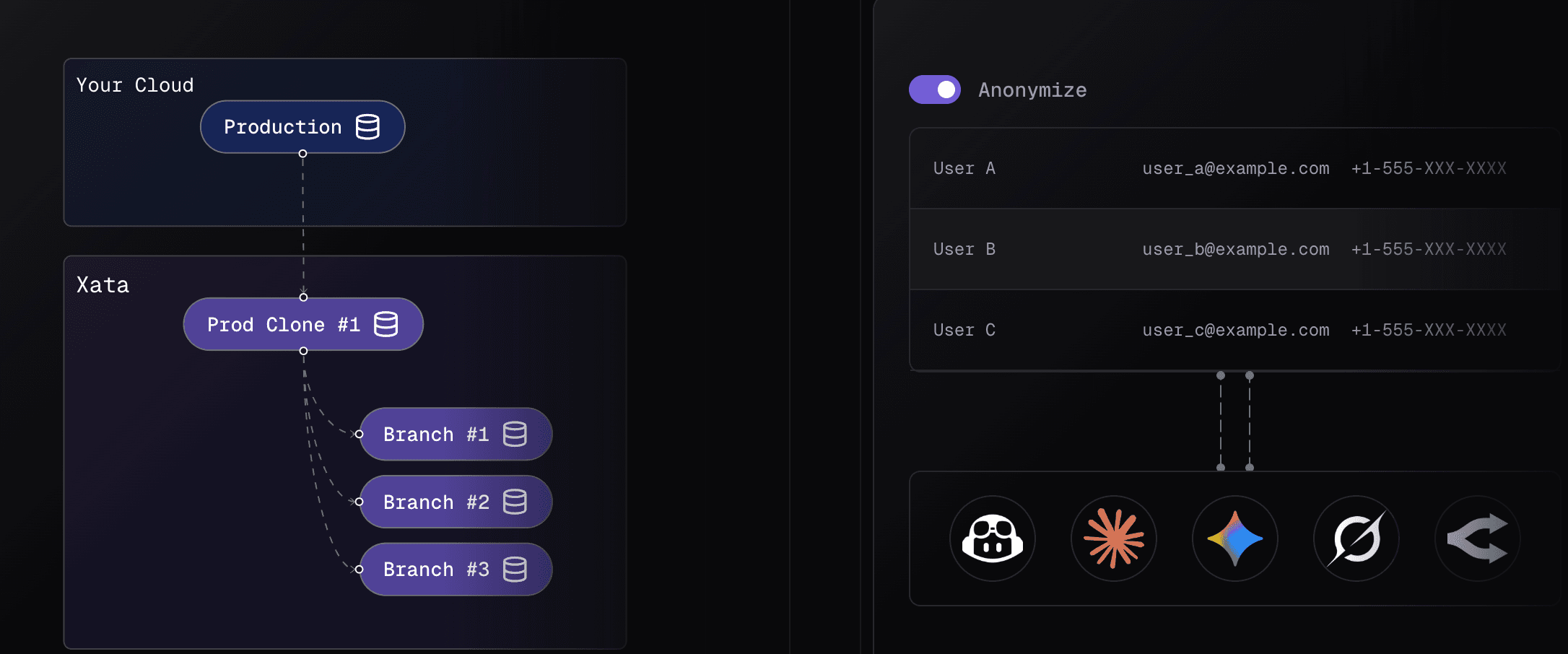
AI-assisted configuration
For larger schemas, you need more context than pattern matching can provide. So we added an AI mode that generates a first-draft anonymization config from your schema (and any rules you already have), then validates it.
Here’s the new workflow:
What happens when you run this:
- We send your database schema, any existing transformations, and your prompt to an LLM.
- The model produces a transformation file.
- We run the output through a validation loop.
- If validation fails, we feed the errors back to the model and ask it to fix the file, then validate again.
This is designed to produce configs you can actually run, not just a “looks plausible” answer.
What this does (and doesn’t) guarantee
AI mode is a faster way to get to a comprehensive config, especially when your schema is large or messy. In our testing, it tends to catch columns that name-matching misses and reduces the amount of manual editing needed.
But it’s not a compliance button.
You still need to review the generated transformations before using them, particularly for:
- columns with ambiguous names
- domain-specific fields where sensitivity depends on business context
- anything regulated where “close enough” isn’t acceptable
Treat the output as a strong draft that saves time, not a final verdict.
Conclusion
The goal here is straightforward: make it easier to spin up realistic staging environments without turning PII review into a recurring project.
If you want to try it, run:
…and tweak the prompt to match your risk tolerance. If it over-masks, misses something, or produces a rule that doesn’t make sense for your schema, we’d like to hear about it. Those edge cases are what we’re iterating on.
Give every agentic workload its own Postgres branch
Create instant database clones with production-like data for every agent, workflow, and CI/CD pipeline.
Related Posts
Modernize your database workflows without a migration (code with real data)
Modernize dev workflows: replace your shared, fragile staging database with instant branches for your Postgres database.
Xata: Postgres with data branching and PII anonymization
Relaunching Xata as "Postgres at scale". A Postgres platform with Copy-on-Write branching, data masking, and separation of storage from compute.
From natural language to SQL queries: How we built Generate SQL with AI
Discover how Xata used Large Language Models (LLMs) to turn natural language into accurate PostgreSQL queries, simplifying BI workflows and boosting productivity.