Query Editor v2: A Better Way to Write SQL in Xata Console
We've rebuilt the query editor from the ground up. The new version is faster, smarter, and easier to use.
By:
Marcello NovelliPublished:
Reading time:
4 min readWe've rebuilt the query editor from the ground up. The new version is faster, smarter, and easier to use, whether you're running a quick exploratory query or managing complex schema changes across your branch.
Here's what's new.
Write first, name later
The old editor created a query the moment you clicked "New Query," persisting it immediately with placeholder SQL. That workflow had it backwards. (The query doesn't need a name until it earns one!)
Now, new queries open as drafts. You get a blank editor, no clutter in your sidebar, and no commitment until you're ready. When your query is worth keeping, hit Save as... and give it a name. Until then, it stays local.
You can also toggle auto-save on if you prefer the query to persist as you type, with a live "Saving / Saved" indicator so you always know where things stand. The preference is remembered across sessions.
Ask AI without losing your place
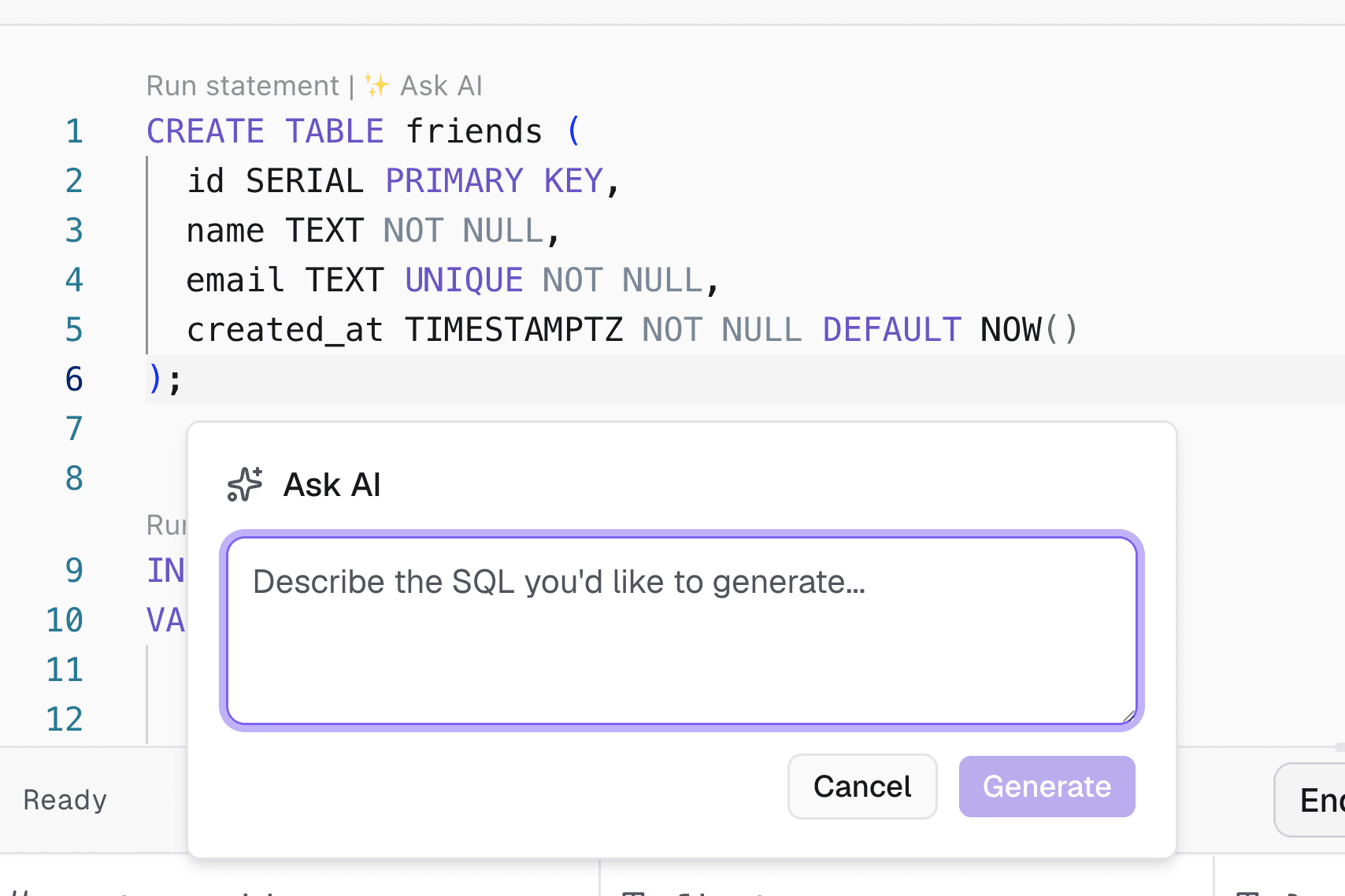
The previous AI SQL generation experience opened in a centered modal, pulling you away from the editor. We replaced it with an inline popover anchored to your cursor position so you can describe what you want in plain English, insert the generated SQL, and keep iterating without context-switching. No more closing the thing you were looking at to open the thing that helps you look at it.
Open it from the toolbar or with ⌘K.
Run exactly what you mean
Sometimes you want to test one statement without running the three above it that you know are broken. Select any portion of the editor, and the Run button changes to "Run selected", executing only your highlighted text. The label transitions smoothly between states as you select and deselect.
A cleaner layout, top to bottom
The toolbar has been split into two focused strips:
- Query toolbar (top): query name, save status, AI access, and actions like rename and delete.
- Results toolbar (middle): branch selector, execution status, and the Run button.
The sidebar is now resizable, collapsible, and auto-collapses on smaller screens. The "New Query" button lives at the top where it's always reachable, and each query's actions are tucked into a context menu to keep things tidy.
A thin status bar at the bottom of the results panel brings everything together: row count, row limit selector, display toggles, expand to fullscreen, copy as JSON, and download as CSV. It collapses gracefully into a dropdown on mobile.
More control over results
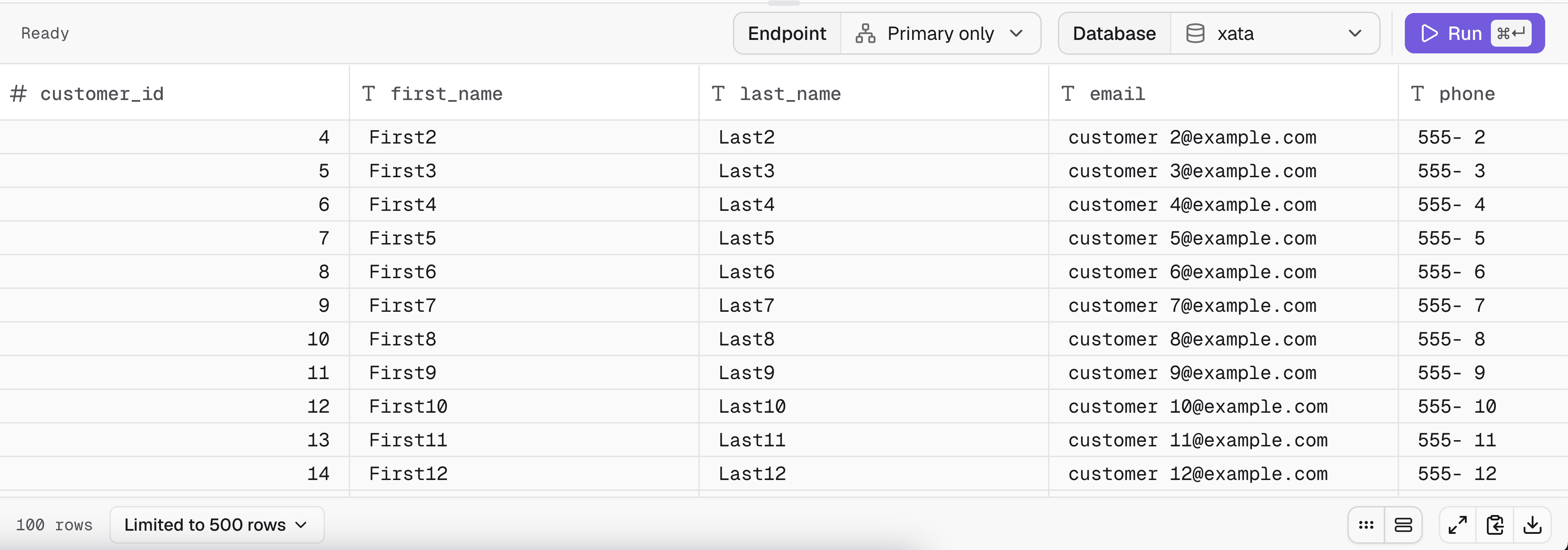
Client-side row limit. Large result sets used to slow down rendering. Now you can cap what's rendered at 100, 500, 1000, or no limit, with a notice when results exceed the cap.
Compact mode & striped rows. Two toggle buttons let you tune the results table for density and readability. Both preferences are saved in local storage.
Fullscreen results. One click expands the results panel to fill the screen, useful when you need to inspect wide tables or compare many rows.
Copy as JSON. Alongside CSV export, you can now copy the active result set to your clipboard as formatted JSON.
EXPLAIN plan rendering. EXPLAIN output is detected automatically and rendered in a dedicated monospace view instead of the regular data table.
Statement success messages. Non-SELECT statements (INSERT, UPDATE, CREATE TABLE, and so on) now show a confirmation with row count instead of a blank panel.
Performance warnings you can actually dismiss
When a query is likely to be slow or expensive, a floating warning card appears above the editor. It's non-blocking, so you can still run the query, and there's a "Don't show again" option if you've been warned enough times and have chosen to live dangerously. The preference persists, and you can re-enable warnings from editor preferences at any time.
Keyboard shortcuts
Action | Shortcut |
|---|---|
Run query |
|
Save query |
|
Open Ask AI |
|
Rename query |
|
New query |
|
This is just the beginning
Query Editor v2 is one part of a broader set of improvements coming to the Xata console. We have more updates in the works across the whole experience, so stay tuned.
As for the query editor itself, we have more ideas we want to ship. If there's something you'd like to see, a workflow that feels clunky or a feature you keep wishing existed, we'd love to hear it. Your feedback shapes what we build next.
The new query editor is available now in the Xata console. Give it a spin, and let us know what you think.
Give every agentic workload its own Postgres branch
Create instant database clones with production-like data for every agent, workflow, and CI/CD pipeline.