A connection pooler for every Postgres branch, scaling to zero instances with it
Every Xata Postgres branch includes a built-in PgBouncer pooler in transaction mode. Tuned for serverless and edge, scales to zero with the branch.
By:
Noémi VányiPublished:
Reading time:
3 min readWe're excited to announce that every Xata branch now ships with a built-in PgBouncer connection pooler. Every branch gets its own pooler automatically, tuned and ready to use.
Modern applications don’t just open a few long-lived connections anymore. They spin up multiple AI agents, launch testing sandboxes, and create short-lived environments on demand. Each of those processes opens database connections often briefly, but at scale.
Connection pooling makes this manageable by efficiently multiplexing connections, reducing overhead, and keeping performance stable even under bursty workloads.
Every branch, whether it's your production database or a short-lived preview environment gets its own dedicated pooler instance, pre-configured and ready to accept connections. If you're already using the Xata serverless proxy, you're benefiting from pooling right now with zero changes to your application.
Why a 5MB-per-connection database fails serverless
Every PostgreSQL connection spawns a dedicated backend process, consuming around 5MB of memory. That's fine when you have a handful of long-lived application servers. It falls apart when your connections come from serverless functions, edge workers, or frameworks that open and close connections on every request.
However, PostgreSQL wants fewer, long-lived connections. Modern application architectures may produce many short-lived ones. A connection pooler sits between them and makes both sides happy:
- clients can open and close connections freely
- PostgreSQL sees a small, stable set of persistent connections being reused.
A pooler per branch, scaling to zero with it
Xata runs a PgBouncer instance alongside every branch in transaction mode. When a client finishes a transaction, the underlying PostgreSQL connection is immediately returned to the pool and made available to the next client. A single PostgreSQL connection can serve thousands of transactions per second across many clients.
This happens transparently, your application connects to the pooler endpoint, issues queries, and PgBouncer handles the multiplexing.
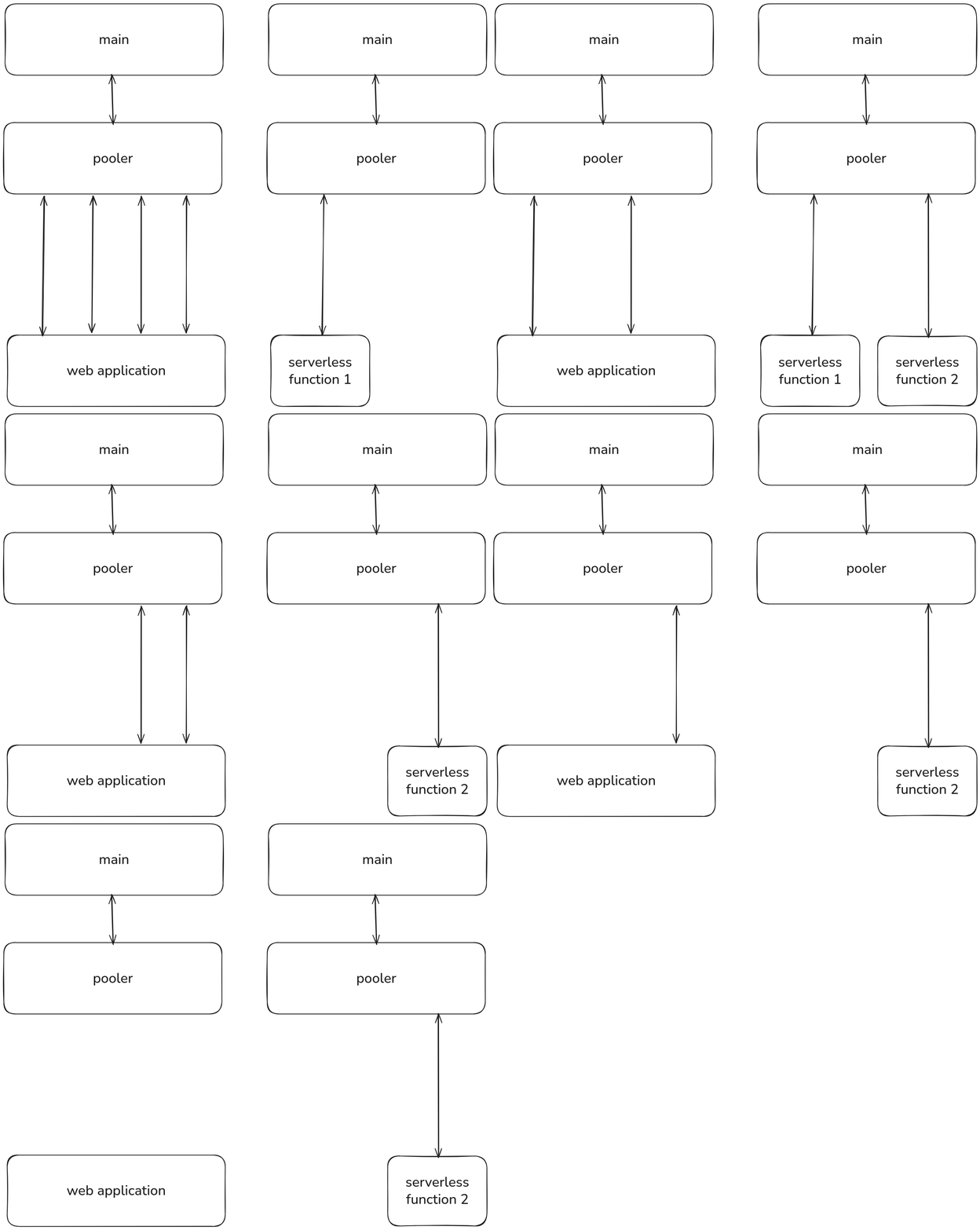
When scale to zero is enabled on a branch, the pooler scales down with it. When the branch wakes up, the pooler comes back automatically. No idle resources, no extra cost.
Switching from -rw to -pooler
Serverless proxy (HTTP & WebSocket)
You're already using it. The serverless proxy now routes through the pooler by default. No changes needed.
Direct PostgreSQL connections
Append -pooler to your branch ID:
The pooler connects to the primary instance only (read-write).
What we pre-tuned, and why
Every pooler comes pre-tuned:
Setting | Value | Why |
|---|---|---|
|
| Optimize connection reuse across clients |
|
| Accept far more clients than PostgreSQL could handle directly |
|
| Use most of your PostgreSQL connections without exhausting them |
|
| ORMs like Prisma and SQLAlchemy that use prepared statements work out of the box |
Note that 10,000 client connections doesn't mean 10,000 simultaneous queries. It means 10,000 clients can be connected, with active transactions sharing the underlying pool of PostgreSQL connections.
When to use pooling vs direct connections
Use the -pooler endpoint for:
- Serverless functions (AWS Lambda, Vercel, Cloudflare Workers)
- Web applications with connection-per-request patterns
- Any environment with high connection churn
Use -rw for:
LISTEN/NOTIFY(requires a persistent session)- Session-level advisory locks
- Temporary tables and
SETcommands (these don't survive transaction boundaries in pooled mode) - Schema migrations (
pg_dump/pg_restoreuseSETstatements) - Long-running analytics queries (avoid holding a pool slot)
Endpoint | Pooled | Target | Best for |
|---|---|---|---|
| Yes | Primary | Serverless, high-concurrency, connection-constrained environments |
| No | Primary | Sessions needing |
| No | Replicas | Read-heavy workloads offloaded to replicas |
Getting started
If you're using the serverless proxy, you're already benefiting from pooling. For direct connections, swap -rw for -pooler in your connection string. That's it.
Check out the Serverless Proxy docs for more details on connection options.
Give every agentic workload its own Postgres branch
Create instant database clones with production-like data for every agent, workflow, and CI/CD pipeline.
Related Posts
Inside Xatastor: ZFS + NVMe-oF for millions of Postgres databases
Read the technical details of our new distributed storage system, which is the key to scaling to a huge number of Postgres instances.
Introducing Xata OSS: Postgres platform with branching, now Apache 2.0
Xata core is now available as open source under the Apache 2 license. It adds copy-on-write branching, scale-to-zero compute to Postgres.